XMirror - Screen Mirror2.0.3
Publisher Description
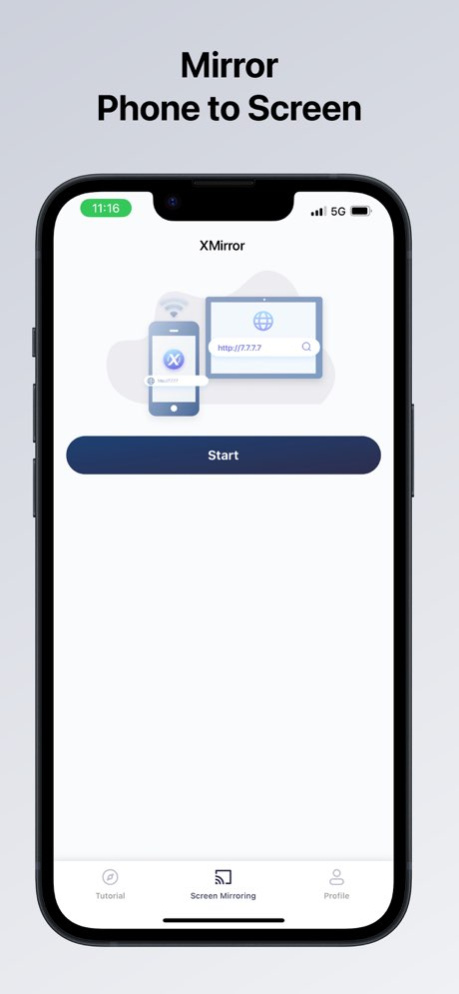
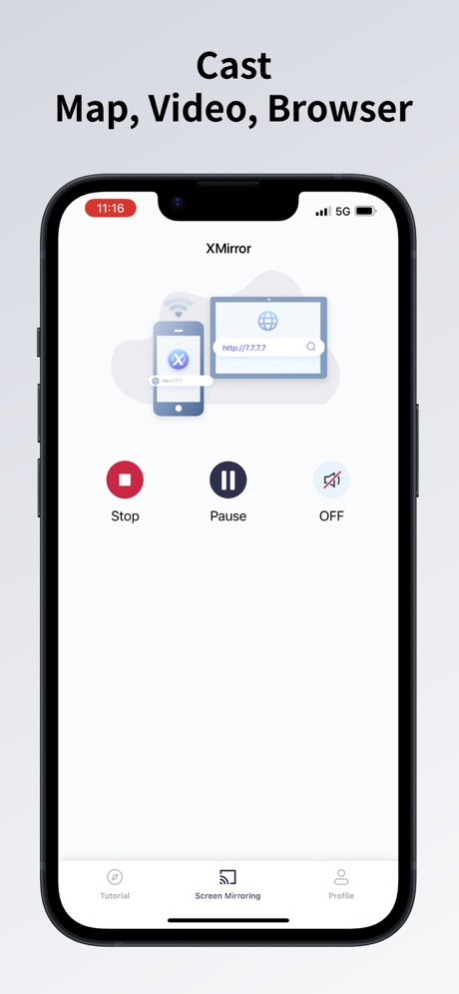
XMirror - Your Ultimate iOS Screen Mirroring Solution for Car with Audio.
Key features:
1. Audio Support: Enjoy your favorite content on the car screen with full audio support.
2. Screen Orientation: XMirror supports both portrait and landscape orientations.
3. Cable-Free: Connect your devices wirelessly for mirroring.
4. Privacy Guarantee: Your data is always secure. XMirror transmits data exclusively via your local network.
5. No Internet Traffic Needed: The app's mirroring traffic stays on local network of your iOS device's Personal Hotspot.
Steps:
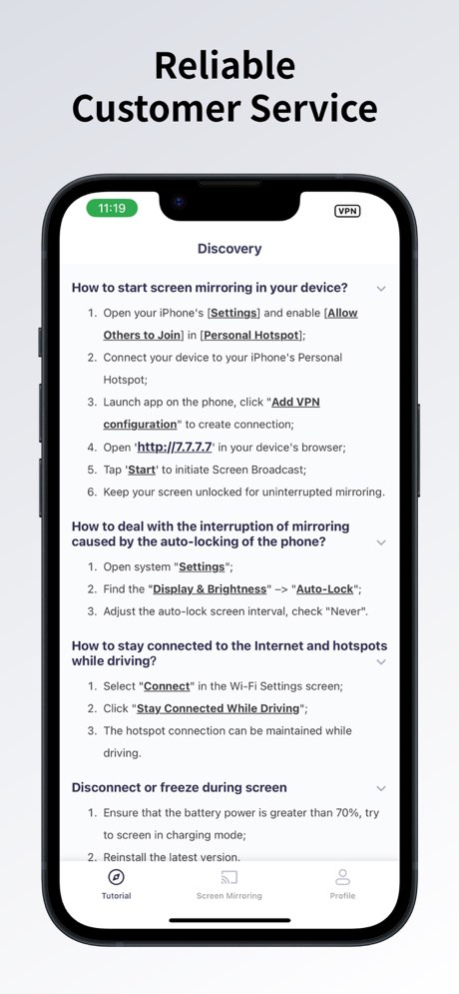
1. Open your iPhone's [Settings] and enable [Allow Others to Join] in [Personal Hotspot].
2. Connect your car to your iPhone's Personal Hotspot.
3. Launch XMirror and tap 'Start' to initiate Screen Broadcast.
4. Open http://7.7.7.7:8000 in your car's browser.
5. Keep your screen unlocked for uninterrupted mirroring.
Feedback:
Your satisfaction is our priority. Please feel free to share your thoughts and experiences with us at 1001tvs@nero.com or visit our official website: https://1001tvs.com.
Notes:
Some cars block all private LAN access, so we use a VPN to build a tunnel between your phone and browser. Unlike standard VPNs, ours is specifically for screen mirroring, keeping data within your local LAN and never uploading it to the internet. This ensures your privacy and security.
Version History UX improvement 2.0.3 Jul 30 Bug fixes and performance improvements. 2.0.2 04/27/2025 Bug fixes and performance improvements. 2.0.1 01/20/2025 Bug fixes and performance improvements. 2.0.0 01/02/2025 1. Bug fixes for better performance.
2. Improved Japanese translation. 1.0.12 09/05/2024 Update French translation 1.0.11 07/08/2024 Update German translation 1.0.10 06/11/2024 Improve performance of screen mirroring 1.0.9 04/17/2024 Give more trail for free users 1.0.8 03/19/2024 Update workflow of screen mirroring and translation 1.0.7 01/29/2024 Bug fixes. 1.0.6 12/14/2023 Fix bug for screen mirroring and update some strings 1.0.5 11/29/2023 Add in-app purchase 1.0.1 11/14/2023 1.0 11/13/2023
About XMirror - Screen Mirror
The company that develops XMirror - Screen Mirror is Nero AG. The latest version released by its developer is 2.0.3.
To install XMirror - Screen Mirror on your iOS device, just click the green Continue To App button above to start the installation process. The app is listed on our website since 2026-10-07 and was downloaded 0 times. We have already checked if the download link is safe, however for your own protection we recommend that you scan the downloaded app with your antivirus. Your antivirus may detect the XMirror - Screen Mirror as malware if the download link is broken.
How to install XMirror - Screen Mirror on your iOS device:
- Click on the Continue To App button on our website. This will redirect you to the App Store.
- Once the XMirror - Screen Mirror is shown in the iTunes listing of your iOS device, you can start its download and installation. Tap on the GET button to the right of the app to start downloading it.
- If you are not logged-in the iOS appstore app, you'll be prompted for your your Apple ID and/or password.
- After XMirror - Screen Mirror is downloaded, you'll see an INSTALL button to the right. Tap on it to start the actual installation of the iOS app.
- Once installation is finished you can tap on the OPEN button to start it. Its icon will also be added to your device home screen.
Program Details
System requirements
Download information
Pricing
Version History
version 2.0.3
posted on 2026-10-07
Version History UX improvement 2.0.3 Jul 30 Bug fixes and performance improvements. 2.0.2 04/27/2025 Bug fixes and performance improvements. 2.0.1 01/20/2025 Bug fixes and performance improvements. 2.0.0 01/02/2025 1. Bug fixes for better performance.
2. Improved Japanese translation. 1.0.12 09/05/2024 Update French translation 1.0.11 07/08/2024 Update German translation 1.0.10 06/11/2024 Improve performance of screen mirroring 1.0.9 04/17/2024 Give more trail for free users 1.0.8 03/19/2024 Update workflow of screen mirroring and translation 1.0.7 01/29/2024 Bug fixes. 1.0.6 12/14/2023 Fix bug for screen mirroring and update some strings 1.0.5 11/29/2023 Add in-app purchase 1.0.1 11/14/2023 1.0 11/13/2023
version 2.0.3
posted on 2026-08-05
Version History UX improvement 2.0.3 5d ago Bug fixes and performance improvements. 2.0.2 04/27/2025 Bug fixes and performance improvements. 2.0.1 01/20/2025 Bug fixes and performance improvements. 2.0.0 01/02/2025 1. Bug fixes for better performance.
2. Improved Japanese translation. 1.0.12 09/05/2024 Update French translation 1.0.11 07/08/2024 Update German translation 1.0.10 06/11/2024 Improve performance of screen mirroring 1.0.9 04/17/2024 Give more trail for free users 1.0.8 03/19/2024 Update workflow of screen mirroring and translation 1.0.7 01/29/2024 Bug fixes. 1.0.6 12/14/2023 Fix bug for screen mirroring and update some strings 1.0.5 11/29/2023 Add in-app purchase 1.0.1 11/14/2023 1.0 11/13/2023
version 2.0.2
posted on 2026-07-23
Version History Bug fixes and performance improvements. 2.0.2 04/27/2025 Bug fixes and performance improvements. 2.0.1 01/20/2025 Bug fixes and performance improvements. 2.0.0 01/02/2025 1. Bug fixes for better performance.
2. Improved Japanese translation. 1.0.12 09/05/2024 Update French translation 1.0.11 07/08/2024 Update German translation 1.0.10 06/11/2024 Improve performance of screen mirroring 1.0.9 04/17/2024 Give more trail for free users 1.0.8 03/19/2024 Update workflow of screen mirroring and translation 1.0.7 01/29/2024 Bug fixes. 1.0.6 12/14/2023 Fix bug for screen mirroring and update some strings 1.0.5 11/29/2023 Add in-app purchase 1.0.1 11/14/2023 1.0 11/13/2023
version 2.0.2
posted on 2025-04-27
Bug fixes and performance improvements.
